A website is functional when visitors can accomplish what they came to do without confusion, unnecessary waiting, or technical problems. That sounds simple, but it’s surprisingly rare. Plenty of websites look impressive in screenshots yet fail when real people actually use them.
That’s why a proper website design functionality evaluation criteria checklist goes far beyond colors, layouts, and animations. It measures how well every piece of the website supports users, search engines, administrators, and the business itself.
The biggest mistake I see isn’t poor design.
It’s evaluating a website after it’s already live instead of checking functionality throughout development.
Why Functionality Matters More Than Appearance
People notice design.
They remember functionality.
Think about the last frustrating website you visited. Chances are you don’t remember its colors or typography. You remember the broken checkout, slow pages, confusing navigation, or contact form that never worked.
Visitors judge websites in seconds, but functionality determines whether they stay.
A visually average website with excellent usability usually outperforms a beautiful website that makes simple tasks difficult.
Website Design Functionality Evaluation Criteria
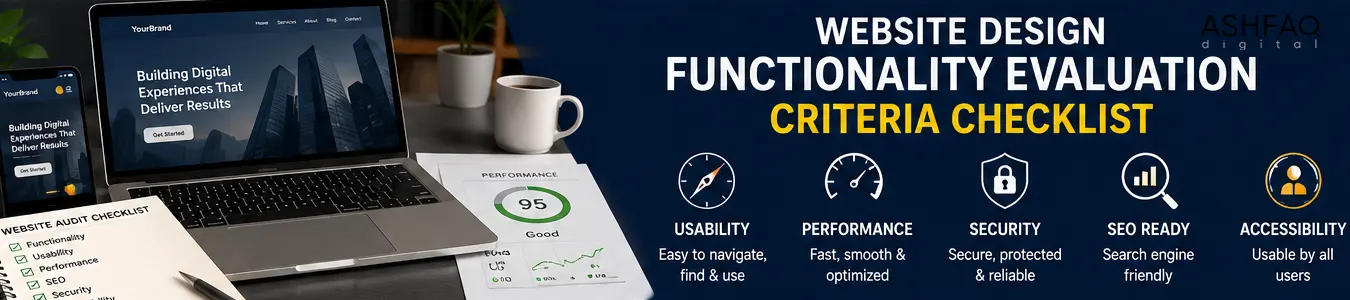
Every professional evaluation should include these categories.
| Evaluation Area | Why It Matters |
|---|---|
| Navigation | Users find information quickly |
| Mobile Responsiveness | Works across every screen size |
| Page Speed | Reduces abandonment |
| Accessibility | Serves all visitors |
| Forms & Interactive Features | Enables conversions |
| Security | Protects visitors and business |
| SEO Readiness | Improves discoverability |
| Content Structure | Supports readability |
| Browser Compatibility | Consistent experience |
| Maintenance | Keeps website reliable |
None of these areas exist independently.
A slow website affects SEO.
Poor navigation reduces conversions.
Broken forms waste advertising budgets.
Everything connects.
Navigation Should Feel Invisible
Good navigation doesn’t attract attention.
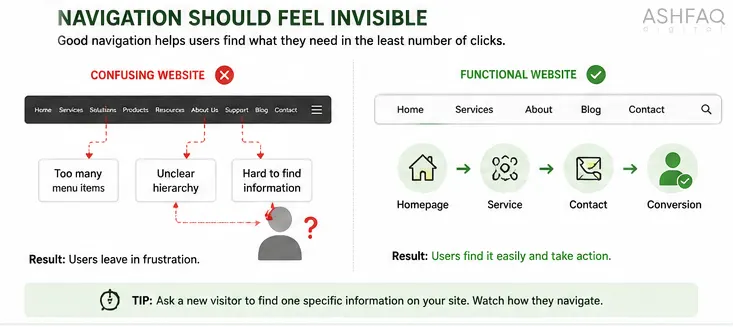
Bad navigation does.
One overlooked detail is menu depth.
If users must click four or five levels deep just to find basic information, the information architecture is already working against them.
Look for things like:
- Consistent menu labels
- Predictable page hierarchy
- Visible search (when appropriate)
- Logical internal linking
- Clear breadcrumbs for larger websites
One practical test many designers skip:
Ask someone unfamiliar with your business to locate one specific piece of information without guidance.
Watch what they click.
Don’t interrupt.
You’ll learn more in three minutes than from an entire design meeting.
Mobile Functionality Is More Than Responsive Design
A responsive layout simply resizes content.
Functional mobile design considers behavior.
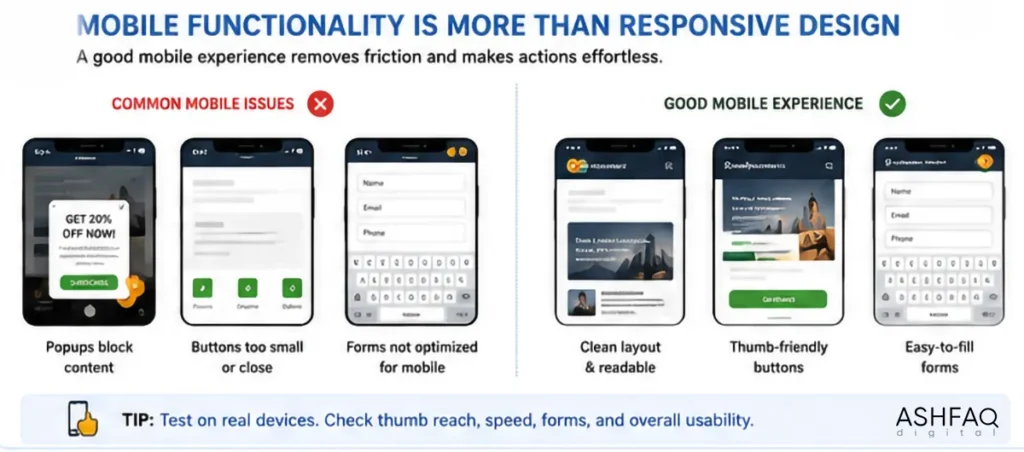
Thumb reach.
Button spacing.
Keyboard appearance.
Form completion.
Image loading.
Many websites technically “work” on mobile but still create unnecessary friction.
Small details matter:
- Sticky headers shouldn’t cover content.
- Popups shouldn’t block navigation.
- Phone numbers should be clickable.
- Address links should open maps.
- Forms should use appropriate keyboard types.
These are tiny improvements individually.
Together they significantly improve user satisfaction.
Google’s Mobile-Friendly documentation explains many technical considerations worth reviewing.
Speed Isn’t About Scores
Many businesses obsess over PageSpeed numbers.
Visitors don’t.
Visitors care whether pages feel fast.
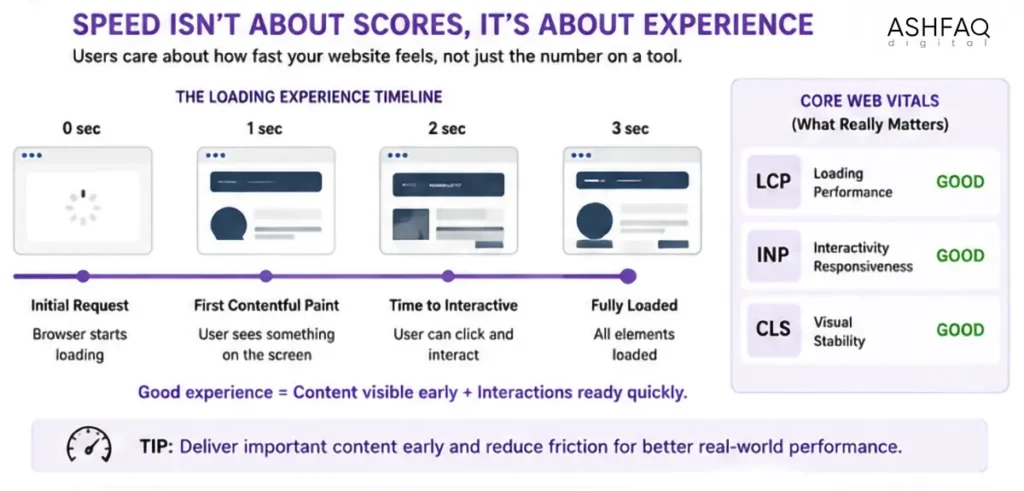
That’s different.
A homepage scoring 82 can outperform another scoring 98 if important content appears immediately while secondary assets load later.
When evaluating speed, check:
Initial loading
How quickly can users begin reading?
Interactive loading
How soon can they click buttons?
Full loading
How long until everything finishes?
The difference matters.
Google’s Core Web Vitals focuses on user experience rather than raw loading time.
Evaluate Every Interactive Element
Buttons.
Menus.
Accordions.
Sliders.
Calculators.
Booking systems.
Downloads.
Forms.
If users can interact with something, test it.
Not once.
Multiple devices.
Different browsers.
Different internet speeds.
One issue experienced frequently during client audits involves contact forms.
The form appears successful.
The confirmation message displays.
But emails never reach the business.
Nobody notices for months.
Always test complete workflows instead of visual appearance alone.
Content Readability Often Gets Ignored
Designers sometimes become so focused on layouts they forget people actually read.
Evaluate:
Heading structure
Headings should create a logical outline.
Skipping directly from H1 to H4 creates confusion for accessibility tools.
Line length
Very wide paragraphs reduce reading comfort.
Around 60–75 characters per line remains comfortable for most users.
Contrast
Gray text on white backgrounds may look modern.
It also tires readers quickly.
The W3C Accessibility Guidelines provide detailed recommendations.
Security Is Part of Functionality
Visitors rarely notice security.
Until something goes wrong.
Evaluate whether the website includes:
- HTTPS everywhere
- Updated plugins
- Strong administrator passwords
- Login protection
- Malware monitoring
- Secure hosting
- Regular backups
One forgotten plugin update can cause more business damage than an unattractive homepage.
SEO Functionality Starts During Design
Many people think SEO begins after launch.
It doesn’t.
Good website functionality naturally supports SEO.
Evaluate whether the site includes:
- Proper heading hierarchy
- Crawlable navigation
- XML sitemap
- Clean URLs
- Image optimization
- Internal linking
- Canonical tags
- Structured metadata
Accessibility Is About Removing Obstacles
Accessibility isn’t only for legal compliance.
It’s practical design.
Every visitor benefits.
Check whether users can:
- Navigate using a keyboard
- Read text with screen readers
- Understand form errors
- Resize text without layout issues
- View sufficient color contrast
- Pause moving content
These improvements usually make websites easier for everyone.
Not only visitors with disabilities.
Browser Compatibility Deserves More Attention
Developers often build using one browser.
Visitors don’t.
Always test:
- Chrome
- Firefox
- Safari
- Edge
Even minor CSS differences can affect layouts, especially forms and navigation.
One broken checkout button in Safari can quietly reduce revenue for months.
Website Design Functionality Evaluation Criteria for E-commerce
Online stores require additional evaluation.
Beyond standard functionality, check:
Shopping cart
Products should remain in the cart during navigation.
Checkout
Every payment path must complete successfully.
Product filters
Filters should actually narrow results instead of refreshing unnecessarily.
Inventory
Stock updates should happen automatically.
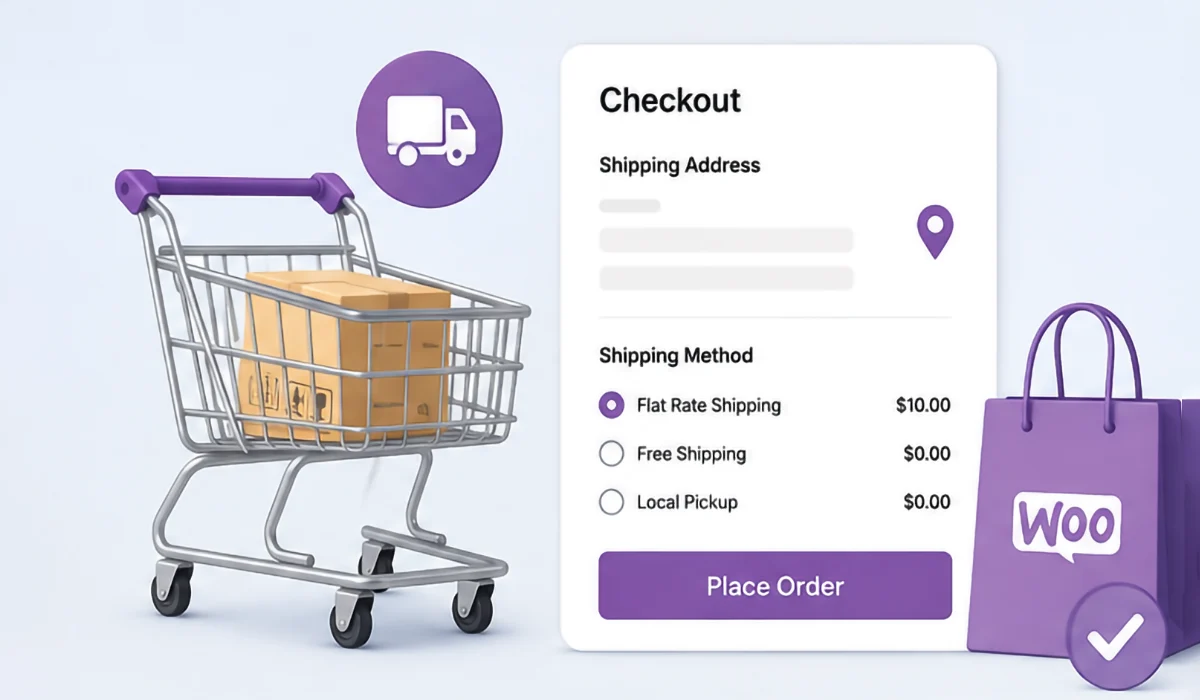
Shipping calculations
Incorrect shipping estimates create abandoned carts faster than almost anything else.
Admin Experience Matters Too
Business owners spend years inside their website.
Visitors spend minutes.
Yet admin usability often receives almost no attention.
Evaluate:
- Can new pages be added easily?
- Can images be replaced without breaking layouts?
- Are plugins organized?
- Is documentation available?
- Are backups simple?
A website that’s difficult to manage slowly becomes outdated.
That’s how many businesses end up redesigning sites far earlier than necessary.
The Hidden Functionality Few People Measure
Here’s something rarely discussed.
Watch users hesitate.
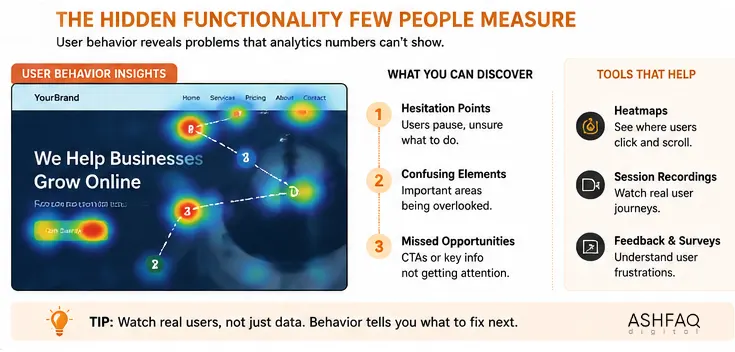
Not fail.
Hesitation reveals uncertainty.
They aren’t sure which button to press. The pricing isn’t as clear as it should be. Or they’re wondering whether clicking will erase their progress.
Those tiny pauses often uncover usability problems analytics never show.
This is why usability studies frequently include screen recordings instead of relying only on numbers.
Watching behavior tells a completely different story.
Practical Website Evaluation Checklist
Before launching any website, confirm each item below.
- Navigation works on every device.
- All links open correctly.
- Forms successfully deliver messages.
- Images load properly.
- Pages display across major browsers.
- Mobile menus function correctly.
- Website loads quickly.
- SSL certificate is active.
- Metadata is complete.
- XML sitemap exists.
- Internal links work.
- Error pages are customized.
- Buttons remain clickable.
- Accessibility basics are implemented.
- Analytics tracking is installed.
- Backup system is configured.
If even one of these fails, fix it before launch rather than after visitors discover it.
Frequently Asked Questions
It is a structured process used to measure whether a website performs correctly, supports users, and helps achieve business goals beyond simply looking attractive.
Major evaluations should happen before launch and after significant updates, while smaller checks should be performed monthly to catch issues early.
Yes. Speed directly affects usability, search rankings, and conversions, making it one of the most important functionality metrics.
Absolutely. Search engines reward websites that load efficiently, are easy to crawl, work on mobile devices, and provide a positive user experience.
Yes. Attractive visuals cannot compensate for broken navigation, confusing layouts, slow loading, or non-working forms.
Website Design, Development, and SEO Services by Ashfaq Digital
Building a website is one part of the job. Making sure it performs consistently for real visitors is another.
At Ashfaq Digital, the focus isn’t simply on delivering attractive websites. Every project is approached with functionality, search visibility, usability, and long-term maintenance in mind. That means thinking beyond launch day—how easily your team can update content, how quickly pages load as the site grows, and whether the structure supports future SEO rather than limiting it.
Whether you need a new business website, a redesign, WordPress development, Shopify customization, or ongoing SEO improvements, the goal is straightforward: create websites that are easy to use, easy to manage, and built around measurable business outcomes instead of short-lived design trends.
Ready to improve your website?
Get in touch with Ashfaq Digital and we’ll identify what’s helping your website, what’s holding it back, and where practical improvements can make the biggest difference.